

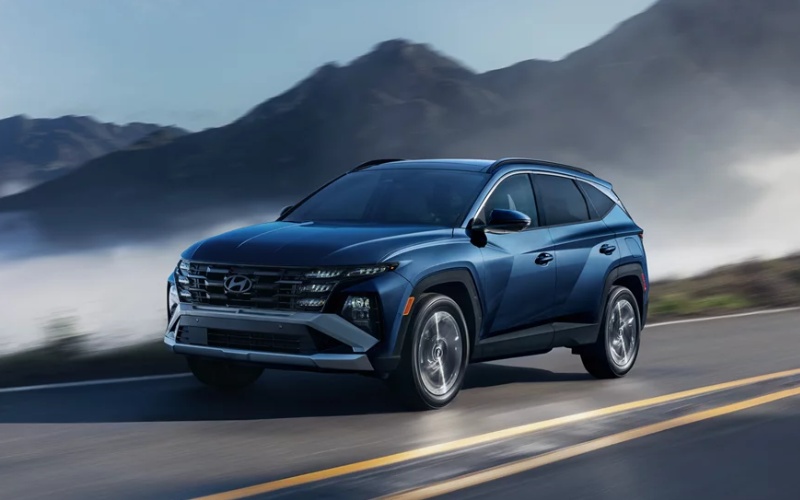
Long Hyundai - Which compact SUV has the smarter tech for Ringgold, GA families: 2026 Hyundai TUCSON or 2026 Toyota RAV4?
When families around Ringgold, GA start comparing tech, safety, and day-to-day convenience, one question rises to the top: Which compact SUV truly makes life easier, the 2026 Hyundai TUCSON or the 2026 Toyota RAV4? Both pack impressive screens and advanced driver assistance, yet the way each brand integrates those features into daily routines feels very different once you spend time behind the wheel. This in-depth guide focuses on the technologies parents and commuters actually use—intuitive displays, connected services, driver aids that reduce fatigue—and explains why so many shoppers gravitate to Hyundai’s sleek, streamlined setup.
The RAV4 has leveled up with a standard digital gauge cluster and an available 12.9-inch Toyota Audio Multimedia screen, backed by Toyota Safety Sense™ 4.0 (TSS 4.0). That means robust driver assistance, modern interfaces, and smart options like Advanced Park and Traffic Jam Assist. The TUCSON, meanwhile, brings Hyundai’s Panoramic Curved Display with dual 12.3-inch screens available, an uncluttered cabin design, and Bluelink®+ connected services included for confidence when your schedule goes sideways. Both vehicles deliver, but Hyundai’s cohesive layout—supported by Highway Driving Assist, available Blind-Spot View Monitor with an in-cluster camera feed, and clean menu logic—tends to reduce distraction and keeps you focused on the road.
Display and controls: what you see and touch matters
Ask any parent juggling carpool and work calls: a clean, consistent interface is gold. The TUCSON’s available Panoramic Curved Display puts critical info front and center, the digital cluster stays legible in all light, and menu structures feel “learned” within a short drive. Toyota counters with crisp graphics and speedy responses on its multimedia screen, plus helpful voice commands. If you value a cockpit that looks and operates like a single, integrated system, Hyundai’s execution earns high marks.
It is also worth noting the small design decisions that reduce fatigue—clear steering-wheel controls, easily reached volume and temperature adjustments, and sensible screen placement to trim eye travel. Over time, those seemingly minor choices add up to less stress and more attention for what’s ahead.
Connected services and app support
Families expect their SUV to be a digital partner, not just a set of wheels. The TUCSON’s Bluelink®+ connected services included lets you remote start, schedule charging on PHEV trims, pre-condition the cabin on a cold morning, or send a destination directly from your phone to the vehicle. Toyota’s Connected Services bring similar capabilities, typically via trial periods followed by subscriptions; feature availability and duration vary by trim and package. If you plan to rely on the app daily—remote unlock for a teen, last-mile send-to-car navigation for a game across town—the Hyundai approach is a meaningful advantage in the long run.
Wireless Apple CarPlay® and Android Auto™ are available on both SUVs, so your favorite apps stay front and center without cord clutter. Adding to that, Hyundai’s thoughtful integration of standard USBs, available wireless charging, and smartly placed storage spaces keeps devices secure and accessible.
Driver assistance that actually helps
Advanced safety systems shine when they act like a co-pilot, not a backseat driver. The TUCSON’s available Highway Driving Assist offers steering support and distance control that feel intuitive during longer highway stretches—ideal for trips between schools, practices, and errands. Blind-Spot View Monitor beams a camera view into the cluster when you signal, reducing guesswork in heavy traffic or at multi-lane junctions. Toyota’s TSS 4.0 suite is extensive, with Lane Tracing Assist and Proactive Driving Assist keeping things steady, plus Traffic Jam Assist for low-speed highway congestion and available Advanced Park for tight downtown spaces. Both SUVs are strong here; the difference is how naturally Hyundai’s systems blend into the drive with clear visuals and minimal fuss.
Parents also appreciate Hyundai’s Ultrasonic Rear Occupant Alert. It adds another layer of awareness after you park—one more thoughtful safeguard among a robust set of protections that speak to real-world family life.
Hybrid and PHEV choices
Both lineups offer Hybrid and Plug-in Hybrid options. Families weighing mixed suburban and highway driving may love the TUCSON’s quiet, responsive hybrid tuning, while the TUCSON PHEV adds electric-only capability for short commutes or school runs. Toyota’s RAV4 Hybrid and PHEV also bring strong, efficient performance and trail-friendly confidence on trims designed for adventure. The bottom line: if you’re shopping electrified choices, you’ll find compelling options on both sides—so let your daily patterns, charging access, and preferred drive feel guide the test drive.
Beyond specs, it is the vibe in the cabin and the clarity of the tech that tend to sway families. Hyundai’s minimalist, modern layout keeps the mood calm; Toyota’s rugged-leaning personality brings its own charm. Sit in each, scroll through core menus, and imagine the Monday-through-Friday grind. The best choice reveals itself quickly when you do this.
How to decide quickly and confidently
To make a confident call, focus on how each SUV handles your top three priorities. Do you want the smoothest highway assist for weekly drives, the simplest app for remote start and destination send, or the most integrated screen setup for the least distraction? If those questions point you toward a calmer, more cohesive cockpit, the TUCSON is likely your pick.
- Screen experience: Do the cluster and center display feel unified and easy to read at a glance?
- Assisted driving: Do steering support and distance-keeping feel smooth, natural, and confidence-inspiring?
- Connected features: Will the app you use daily remain available without added complexity?
Bring this checklist to your test drives. It will help you separate nice-to-have from need-to-have and reveal which system truly supports your routines.
Frequently Asked Questions:
Does the 2026 Hyundai TUCSON have a camera-based blind-spot view?
Yes. The available Blind-Spot View Monitor projects a live camera feed into the digital cluster, enhancing confidence when changing lanes or backing out of crowded lots.
What advanced driver assistance does the 2026 Toyota RAV4 offer?
RAV4 includes Toyota Safety Sense™ 4.0 with features like Lane Tracing Assist and Proactive Driving Assist, plus available Traffic Jam Assist and available Advanced Park on select trims.
Are Hybrid and Plug-in Hybrid versions offered for both SUVs?
Yes. Both lineups include Hybrid and Plug-in Hybrid (PHEV) variants, so you can tailor your choice to your daily driving and charging access.
Which model integrates smartphone features more seamlessly?
Both support wireless Apple CarPlay® and Android Auto™. Many shoppers prefer the TUCSON’s Panoramic Curved Display and unified interface for clarity and reduced distraction.
Do both vehicles have connected-car apps?
Yes. The TUCSON features Bluelink®+ connected services included for popular remote functions, while RAV4 offers Connected Services with feature availability and subscription terms varying by trim and package.
If you are mapping out a test drive and want a tech-focused comparison without the noise, visit Long Hyundai—serving Ringgold, LaFayette, and Dayton—for a side-by-side walkthrough that mirrors how your family actually drives. We will help you explore the features you will use every day, from Highway Driving Assist to app-based remote functions, so you can leave confident in your choice.
Ultimately, the smarter tech story isn’t about the longest spec sheet; it is about clarity and confidence on real roads. Families who value a calm, cohesive interface with thoughtful, long-term connected support tend to land on the TUCSON. Try both, explore the menus, and let the experience steer the decision—your best answer will be obvious a mile down the road.


